
Anúncios
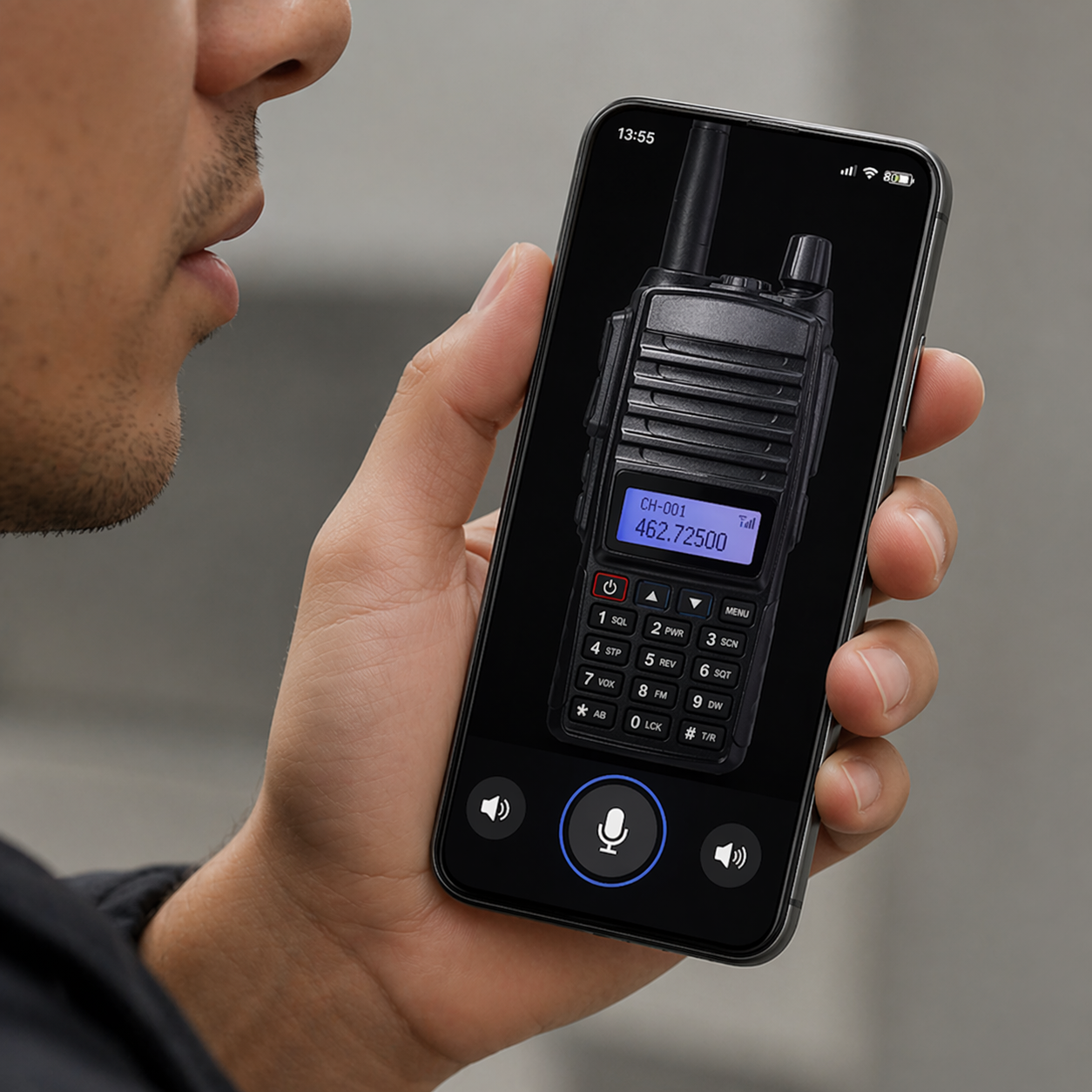
Walkie talkie apps are transforming how we communicate instantly, offering real-time voice transmission without traditional phone calls or complicated setups.
Whether you’re coordinating a team at a busy construction site, organizing volunteers during an emergency, or simply keeping in touch with friends on a hiking trail, walkie talkie applications bring back the nostalgic push-to-talk experience with modern connectivity. These apps leverage WiFi and cellular data to create instant voice channels, eliminating distance barriers that limited traditional radios.
Anúncios
The beauty of these digital communication tools lies in their simplicity and immediacy. Unlike phone calls that require dialing and waiting for answers, or text messages that demand typing and reading, walkie talkie apps enable spontaneous, hands-free conversations that feel natural and efficient. Let’s explore everything you need to know about these powerful communication platforms.
📱 What Makes Walkie Talkie Apps Different from Regular Calling
Traditional phone calls follow a structured pattern: dialing, ringing, answering, speaking, and hanging up. Walkie talkie apps eliminate most of these steps, creating a streamlined communication experience that mirrors the classic two-way radio format our parents and grandparents used.
Anúncios
The push-to-talk (PTT) mechanism defines the walkie talkie experience. You press a button, speak your message, release the button, and your recipient hears it almost instantly. This one-way-at-a-time communication prevents overlapping conversations and creates clarity in group settings where multiple people need to coordinate quickly.
Another significant difference involves availability and presence. When you’re connected to a walkie talkie channel, you’re essentially always “on the line” with your group. There’s no need to call each individual person separately—your voice reaches everyone simultaneously, making it perfect for team coordination.
Unlike video calls that drain battery and require constant visual attention, or text messages that interrupt workflow with notification sounds, walkie talkie apps offer a middle ground. They provide immediate voice communication without demanding the same level of engagement as a formal phone conversation.


🌟 Top Features That Define Quality Walkie Talkie Applications
Not all walkie talkie apps are created equal. The best platforms incorporate specific features that enhance usability, reliability, and overall communication quality. Understanding these features helps you choose the right application for your specific needs.
Crystal Clear Audio Quality
Audio clarity makes or breaks the walkie talkie experience. Premium apps utilize advanced audio compression algorithms that maintain voice quality even on slower internet connections. They filter background noise, amplify speech frequencies, and adjust volume levels automatically to ensure every word comes through clearly.
Some applications even offer audio enhancement features specifically designed for noisy environments. Whether you’re at a concert, construction site, or busy restaurant, these noise-canceling technologies help your voice cut through ambient sounds.
Channel Organization and Management
Effective channel management allows users to create, join, and switch between different conversation groups effortlessly. The best apps let you organize channels by project, team, family, or interest, keeping communications compartmentalized and organized.
Many platforms also offer privacy settings for channels, allowing you to create public channels anyone can join, or private encrypted channels restricted to invited members only. This flexibility makes walkie talkie apps versatile tools for both casual and professional use.
Location Sharing and Mapping
Modern walkie talkie applications often integrate GPS functionality, allowing team members to share their real-time location with channel participants. This feature proves invaluable during outdoor adventures, emergency response situations, or coordinating deliveries and logistics.
Some advanced apps display all channel members on an interactive map, showing who’s where and enabling better spatial awareness for distributed teams. This combination of voice communication and visual positioning creates a powerful coordination toolkit.
💼 Professional Applications Transforming Industries
Walkie talkie apps have moved far beyond recreational use, becoming essential business tools across numerous industries. Their ability to facilitate instant group communication without expensive radio equipment makes them attractive alternatives for budget-conscious organizations.
Construction and Manufacturing Sites
Construction supervisors use walkie talkie apps to coordinate crews across sprawling job sites. Instead of investing in traditional radios that require maintenance, charging stations, and replacement when damaged, companies can deploy smartphone apps that workers already carry.
The ability to create different channels for different teams—electricians, plumbers, general contractors—ensures relevant information reaches the right people without cluttering everyone’s communication stream. Site managers appreciate the message history feature that traditional radios lack, allowing them to review conversations and verify instructions.
Event Management and Hospitality
Event coordinators managing weddings, conferences, and festivals rely on walkie talkie apps to keep vendors, security, catering staff, and technical teams synchronized. The instant communication prevents small issues from escalating into major problems when time-sensitive coordination is essential.
Hotels and resorts use these apps to connect front desk staff, housekeeping, maintenance, and management. When a guest needs immediate assistance or a room requires urgent attention, push-to-talk communication ensures faster response times than phone calls or text messages.
Emergency Response and Public Safety
During natural disasters or emergency situations when traditional communication infrastructure fails, walkie talkie apps operating over mesh networks or satellite connections become lifelines. Volunteer organizations use them to coordinate rescue efforts, distribute supplies, and maintain contact across affected areas.
Search and rescue teams appreciate the hands-free operation that allows communication while climbing, swimming, or performing physically demanding tasks. The ability to broadcast urgent messages to entire teams simultaneously can literally save lives in critical situations.
🏞️ Recreational Uses That Enhance Outdoor Adventures
Beyond professional applications, walkie talkie apps enhance recreational activities by keeping groups connected in environments where cell service might be unreliable or where quick coordination improves the experience.
Hiking groups use these apps to maintain contact when trails split or when some members move faster than others. Parents at theme parks use them to coordinate meetup times and locations without relying on text messages that children might miss while enjoying attractions.
Motorcycle enthusiasts riding in groups appreciate hands-free communication that helmet-mounted Bluetooth systems facilitate when paired with walkie talkie apps. Riders can alert each other to road hazards, suggest stops, or simply enjoy conversation during long journeys.
Skiers and snowboarders use walkie talkie apps to find each other on massive mountain resorts, coordinate lunch breaks, and share information about powder conditions on different runs. The apps work over WiFi at lodges and cellular data on slopes with coverage.
🔐 Privacy and Security Considerations
When choosing a walkie talkie app, especially for sensitive professional communications, understanding privacy and security features becomes crucial. Not all platforms offer the same level of protection for your conversations.
End-to-end encryption ensures that only channel participants can hear transmitted messages, preventing interception by third parties or even the service provider. Apps using this technology encrypt audio on your device before transmission and decrypt it only on recipient devices.
Some platforms store message history on cloud servers for later playback, while others transmit only live audio without recording. Understanding data retention policies helps you choose apps aligned with your privacy expectations and regulatory requirements.
For highly sensitive communications, look for apps offering self-hosted server options or on-premise deployment. These solutions keep all data within your organization’s infrastructure, providing maximum control over information security.

⚡ Battery Life and Data Consumption
Since walkie talkie apps maintain persistent connections to channels, they inevitably impact battery life and data usage. Understanding these impacts helps you plan accordingly and choose apps optimized for efficiency.
Well-designed apps use intelligent connection management that minimizes battery drain during idle periods while maintaining instant readiness for incoming transmissions. They employ low-power listening modes that activate full processing only when someone speaks.
Data consumption varies based on audio quality settings and usage patterns. A typical minute of voice transmission consumes approximately 0.5 to 1 MB of data, making walkie talkie apps relatively data-efficient compared to video calls or even some music streaming applications.
Many apps offer adjustable quality settings that let you balance audio clarity against data usage and battery consumption. Lower quality settings work perfectly for simple coordination messages, while higher quality becomes important for detailed technical discussions.
🌐 Connectivity Options: WiFi, Cellular, and Mesh Networks
Different walkie talkie apps utilize various connectivity technologies, each with advantages and limitations depending on your use case and environment.
WiFi-based apps work excellently in buildings, campuses, and urban areas with abundant wireless networks. They consume no cellular data, making them cost-effective for organizations with existing WiFi infrastructure. However, they become useless outside WiFi coverage areas.
Cellular data apps provide wider coverage anywhere your phone has signal. They’re ideal for mobile teams, outdoor recreation, and situations requiring communication across large geographic areas. The downside involves data costs and reduced functionality in areas with poor cellular coverage.
Emerging mesh network apps create peer-to-peer connections between nearby devices, allowing communication without internet connectivity or cellular service. These revolutionary platforms enable off-grid communication during camping trips, at sea, or in disaster scenarios when infrastructure fails.
👨👩👧👦 Family Coordination and Safety Applications
Families discover that walkie talkie apps simplify everyday coordination while providing peace of mind regarding children’s safety and whereabouts.
Parents use these apps to check in with kids walking home from school, ask quick questions about dinner preferences, or coordinate pickup times without formal phone calls that interrupt activities. The casual nature of push-to-talk communication feels less intrusive than calling.
During shopping trips to large stores or malls, family members can split up efficiently while maintaining easy contact. Instead of texting “Where are you?” back and forth, a quick push-to-talk message instantly reconnects separated shoppers.
Families with elderly members appreciate walkie talkie apps as simplified communication tools. The push-to-talk interface proves easier for some seniors than navigating complex smartphone menus to make calls or send texts.
🎯 Choosing the Right Walkie Talkie App for Your Needs
With dozens of walkie talkie apps available, selecting the right one requires evaluating your specific requirements against each platform’s strengths and weaknesses.
Consider your primary use case first. Professional teams need different features than families or recreational users. Business applications might prioritize security, reliability, and administrative controls, while casual users might value simplicity and fun features.
Evaluate the size of your typical communication groups. Some apps handle hundreds of participants in a single channel, while others perform better with smaller, more intimate groups. Large organizations need scalable platforms with robust infrastructure.
Test audio quality in your actual usage environment. An app that sounds crystal clear in quiet settings might perform poorly in noisy industrial environments or outdoors with wind interference. Many apps offer trial periods perfect for real-world testing.
Check compatibility across devices and operating systems. If your team uses a mix of iOS and Android devices, ensure your chosen app works seamlessly across both platforms with feature parity.
🚀 Future Trends in Walkie Talkie Technology
The walkie talkie app landscape continues evolving with emerging technologies promising enhanced capabilities and new use cases.
Artificial intelligence integration will soon offer real-time translation, allowing team members speaking different languages to communicate seamlessly. AI-powered transcription will convert voice messages to text automatically for record-keeping and accessibility.
5G networks will dramatically improve audio quality and reduce transmission latency, making digital push-to-talk feel even more immediate and natural. The increased bandwidth enables higher fidelity audio that captures subtle vocal nuances.
Augmented reality features may overlay channel participant information, locations, and status indicators onto your phone’s camera view, creating immersive coordination experiences for field teams.
Integration with smartwatches and IoT devices will enable walkie talkie functionality in more contexts, from wrist-worn devices to dashboard-mounted tablets and even smart home systems.
💡 Maximizing Effectiveness: Best Practices and Etiquette
Getting the most from walkie talkie apps involves more than just technical setup—communication etiquette and best practices ensure smooth, efficient conversations.
Keep transmissions brief and focused. Unlike phone calls that allow for rambling conversation, walkie talkie communication works best with concise messages that respect everyone’s time and attention.
Identify yourself when speaking in large groups where voice recognition isn’t immediate. A simple “This is Sarah” before your message prevents confusion about who’s communicating.
Wait a second after pressing the push-to-talk button before speaking. Some apps cut off the first syllable if you start talking immediately, and this brief pause ensures your complete message transmits.
Use channel naming conventions that clearly indicate purpose and participants. “Smith Family” is more useful than “Channel 3,” and “Alpha Team Construction” beats “Work Channel.”
Respect quiet hours and personal boundaries. Just because walkie talkie apps enable instant communication doesn’t mean every message warrants immediate transmission. Consider urgency before broadcasting.
🔧 Troubleshooting Common Issues
Even the best walkie talkie apps occasionally encounter problems. Knowing how to diagnose and resolve common issues keeps your communication flowing smoothly.
If audio quality deteriorates, check your internet connection first. Both WiFi and cellular strength directly impact transmission quality. Moving closer to a router or finding better cell coverage often resolves clarity issues.
When experiencing delayed message delivery, background app restrictions might be limiting your walkie talkie app’s performance. Check your phone’s battery optimization settings and ensure the app can run unrestricted in the background.
If battery drains faster than expected, review your channel subscriptions. Being connected to dozens of active channels constantly keeps your phone’s radio active. Disconnect from channels you’re not actively using to conserve power.
For persistent connection problems, try logging out and back in, or reinstalling the application. These simple steps resolve most temporary glitches related to cached data or server synchronization.
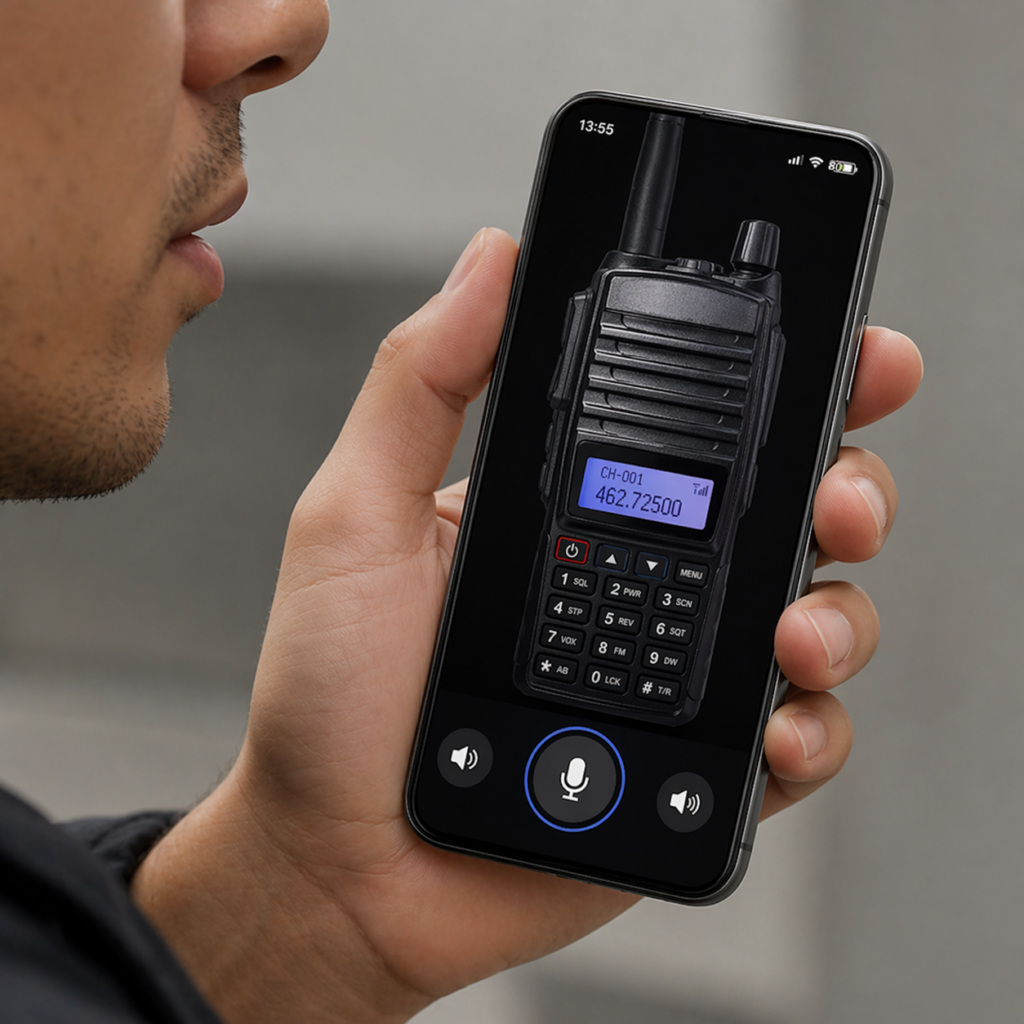
Walkie Talkie App: Instant Voice Communication
✨ The Revival of Instant Voice Communication
Walkie talkie apps represent more than technological nostalgia—they address a genuine communication need that text messages and formal phone calls don’t satisfy. The immediacy, simplicity, and group-friendly nature of push-to-talk communication fills a unique niche in our increasingly connected world.
As these applications continue improving with better audio quality, enhanced security, and innovative features, they’re becoming essential tools for professionals and families alike. The combination of smartphone convenience with classic walkie talkie simplicity creates a powerful communication platform perfectly suited for modern life.
Whether you’re coordinating a work project, planning a family outing, or simply looking for a more efficient way to stay connected with your group, walkie talkie apps offer an engaging alternative to traditional communication methods. Their continued evolution promises even more exciting possibilities for instant voice connection in the years ahead.
