

Anúncios
Video editing apps have revolutionized content creation, empowering millions to produce professional-quality videos directly from their smartphones with intuitive tools and creative freedom.


The demand for video content has skyrocketed across social media platforms, businesses, and personal projects. Whether you’re a budding influencer, a small business owner, or simply someone who loves capturing life’s moments, having a powerful video editor app at your fingertips is no longer a luxury—it’s a necessity.
Anúncios
Modern video editing applications combine sophisticated features with user-friendly interfaces, making it possible for anyone to trim clips, add music, apply filters, and create stunning transitions without needing expensive equipment or years of experience. Let’s explore everything you need to know about choosing and using the perfect video editor app for your creative journey.
🎬 Why Video Editing Apps Have Become Essential
The shift toward mobile video creation represents one of the most significant changes in digital content production. Traditional desktop editing software, while powerful, often requires substantial learning curves and financial investment. Video editing apps democratize this process completely.
Anúncios
Smartphones now feature cameras capable of recording in 4K resolution, with stabilization technology that rivals professional equipment. Pairing this hardware with sophisticated editing apps creates a portable production studio that fits in your pocket. You can shoot, edit, and publish content without ever touching a computer.
Social media platforms increasingly prioritize video content in their algorithms. Instagram Reels, TikTok, YouTube Shorts, and Facebook Stories all demand quick, engaging video content. Having an efficient video editor app means you can capitalize on trends immediately, respond to audience engagement in real-time, and maintain a consistent posting schedule that keeps your followers engaged.
✨ Key Features to Look for in a Video Editor App
Not all video editing applications are created equal. Understanding which features matter most for your specific needs will help you make an informed decision and avoid wasting time with tools that don’t fit your workflow.
Timeline Editing Capabilities
A robust timeline interface allows you to arrange multiple video clips, audio tracks, and overlay elements with precision. Look for apps that support multi-layer editing, enabling you to combine footage, text, stickers, and effects simultaneously. The ability to zoom in on the timeline for frame-accurate cuts separates professional-grade apps from basic trimmers.
Transitions and Effects Library
Smooth transitions between clips elevate your content from amateur to polished. Quality video editor apps offer dozens of transition options—fades, wipes, dissolves, and creative animations. Additionally, built-in effects like slow motion, reverse playback, and speed ramping add dynamic visual interest to your projects.
Audio Tools and Music Integration
Sound design is half the battle in video creation. Top-tier apps include royalty-free music libraries, sound effect collections, and advanced audio editing features. Look for volume adjustment controls, audio ducking (automatically lowering music when dialogue plays), and the ability to import your own audio files.
Text and Typography Options
Captions, titles, and text overlays communicate essential information and boost accessibility. The best video editing apps provide extensive font libraries, animation presets for text entrance and exit, and customization options for color, size, and positioning. Animated text can transform static information into engaging visual elements.

🚀 Getting Started with Your First Video Project
Beginning your video editing journey can feel overwhelming, but breaking the process into manageable steps makes it approachable. Most video editor apps follow a similar workflow that becomes intuitive with practice.
Start by importing your raw footage into the app. Organize clips chronologically or by theme to maintain clarity during editing. Trim away unnecessary sections at the beginning and end of each clip—these “dead spaces” drag down pacing and viewer engagement.
Once your clips are arranged on the timeline, focus on creating a narrative flow. Even simple projects benefit from a clear beginning, middle, and end structure. Add transitions between scenes where appropriate, but remember that cuts can be just as effective as elaborate animations.
Layer in your audio elements next. Background music sets the emotional tone, while sound effects emphasize specific actions or moments. Adjust audio levels so music complements rather than overwhelms dialogue or important sounds from your footage.
💡 Creative Techniques to Enhance Your Videos
Mastering technical features is just the starting point. Applying creative techniques distinguishes memorable content from forgettable footage. Experimenting with these approaches will develop your unique editing style.
The Power of Jump Cuts
Jump cuts—abrupt transitions that remove portions of continuous footage—create energy and maintain viewer attention. This technique works particularly well for tutorials, vlogs, and talking-head content where you want to eliminate pauses and filler words while keeping the pace brisk.
Color Grading for Mood
Color grading adjusts the overall color tone of your footage to evoke specific emotions or establish visual consistency. Warm tones (oranges and yellows) create feelings of comfort and nostalgia, while cool tones (blues and greens) suggest calmness or tension. Many video editor apps include preset filters, but learning manual color adjustment gives you greater creative control.
Strategic Use of B-Roll
B-roll refers to supplementary footage that illustrates what you’re discussing in your main content. If you’re talking about making coffee, show close-ups of beans being ground or espresso pouring into a cup. This additional visual information keeps viewers engaged and reinforces your message.
Speed Manipulation
Playing with playback speed adds dramatic flair or comedic timing. Slow motion emphasizes important moments, drawing attention to details viewers might otherwise miss. Time-lapse and fast-forward effects condense lengthy processes into digestible segments, perfect for transformation videos or progress demonstrations.
📱 Optimizing Videos for Different Platforms
Each social media platform has specific technical requirements and audience expectations. Adapting your content accordingly maximizes reach and engagement across channels.
Instagram and TikTok favor vertical 9:16 aspect ratio videos that fill mobile screens. These platforms prioritize short-form content, typically under 60 seconds, though longer durations are now supported. Front-load your most compelling visuals within the first three seconds to stop users from scrolling past.
YouTube accommodates longer content in traditional 16:9 widescreen format. While Shorts compete in the vertical space, standard YouTube videos benefit from more detailed storytelling and comprehensive information. Optimize your video editor app’s export settings to maintain quality while managing file sizes for faster uploads.
Facebook supports multiple aspect ratios but performs best with square 1:1 videos for feed posts. These maximize screen real estate on both mobile and desktop views. Always add captions, as most Facebook videos are watched without sound initially.
🎓 Learning Resources and Community Support
No video editor app exists in isolation. Surrounding yourself with learning resources accelerates skill development and keeps you inspired with fresh ideas.
Most popular editing apps maintain active communities on social media platforms where users share tips, tutorials, and creative inspiration. Following these accounts exposes you to new techniques and keeps you updated on feature releases.
YouTube hosts thousands of tutorials ranging from beginner basics to advanced techniques. Search for content specific to your chosen app to learn its unique features and shortcuts. Many creators offer free templates and preset packs that you can download and customize for your projects.
Experimenting remains the most valuable teacher. Set aside time to play with features without the pressure of producing finished content. Try effects you wouldn’t normally use, combine tools in unexpected ways, and push the boundaries of what you think your app can do.
⚡ Performance Tips for Smoother Editing
Video editing demands significant processing power from mobile devices. Following these optimization strategies ensures smoother performance and prevents frustrating crashes or lag.
Close unnecessary background apps before launching your video editor. This frees up RAM and processing resources for the demanding task of real-time video preview and rendering. Regularly restarting your device clears temporary files that accumulate and slow performance.
Work with shorter project segments when possible. Editing a 10-minute video as five separate two-minute projects reduces the processing burden and minimizes the risk of losing work to unexpected crashes. Most apps allow you to combine finished segments into a final compilation.
Lower preview quality during editing if your device struggles with playback. Most video editor apps offer reduced-resolution preview modes that maintain full quality for final exports while making the editing process more responsive.
🌟 Advanced Features Worth Exploring
Once you’ve mastered fundamental editing techniques, advanced features unlock new creative possibilities and professional-quality results.
Keyframe Animation
Keyframes allow you to create custom animations by setting property values at different points on the timeline. You might gradually increase an image’s size to create a zoom effect, or animate text movement across the screen. This frame-by-frame control produces polished, professional-looking motion graphics.
Chroma Key (Green Screen)
Green screen technology removes solid-colored backgrounds and replaces them with different footage or images. This cinematic technique places subjects in impossible locations, creates split-screen effects, or adds visual interest to otherwise plain backgrounds. Quality video editor apps include chroma key tools with adjustable tolerance for clean removal.
Motion Tracking
Motion tracking automatically follows objects or people as they move through your frame, keeping text, graphics, or effects locked to specific elements. This advanced feature creates professional results that would be nearly impossible to achieve manually, perfect for highlighting products or adding contextual information.
🔒 Understanding Export Settings and Quality
The final export determines how your audience experiences your work. Understanding resolution, bitrate, and format options ensures optimal quality while managing file sizes.
Resolution defines the dimensions of your video in pixels. 1080p (1920×1080) represents the standard for high-definition content and remains the sweet spot balancing quality and file size. 4K (3840×2160) offers stunning detail but creates larger files and requires more processing power.
Bitrate controls how much data is allocated per second of video. Higher bitrates preserve more detail and reduce compression artifacts but increase file sizes. Most video editor apps offer preset export options optimized for specific platforms, simplifying this technical decision.
File format affects compatibility and compression efficiency. MP4 with H.264 encoding provides excellent quality with wide device compatibility and reasonable file sizes. Newer H.265 (HEVC) encoding achieves similar quality with smaller files but may encounter compatibility issues on older devices.
🎯 Common Mistakes to Avoid
Learning what not to do can be just as valuable as mastering proper techniques. Avoiding these frequent pitfalls will improve your content immediately.
Overusing effects and transitions creates visual chaos that distracts from your message. Every element should serve a purpose—ask yourself whether each effect enhances understanding or engagement. When in doubt, simplicity usually wins.
Neglecting audio quality undermines even the most beautiful visuals. Viewers tolerate imperfect video far more readily than poor audio. Always monitor your sound levels, eliminate background noise where possible, and ensure dialogue remains clear and prominent.
Ignoring composition principles results in amateur-looking footage. Follow the rule of thirds by positioning important elements along imaginary lines dividing the frame into nine sections. Leave appropriate headroom above subjects and maintain consistent framing throughout sequences.
Rushing the editing process produces sloppy results. Step away from your project periodically to return with fresh eyes. What seemed perfect during late-night editing sessions often reveals flaws after a good night’s sleep. Build buffer time into your workflow for revisions and refinements.
🌐 The Future of Mobile Video Editing
Video editor apps continue evolving rapidly, incorporating artificial intelligence and machine learning to simplify complex tasks and expand creative possibilities.
AI-powered features now handle tedious tasks automatically. Auto-captioning generates accurate subtitles, background removal eliminates green screens, and smart suggest tools recommend music, effects, and edits based on your footage. These innovations lower barriers to entry while accelerating workflows for experienced editors.
Cloud collaboration features enable multiple creators to work on the same project simultaneously, with changes syncing in real-time. This remote teamwork capability mirrors professional desktop software and opens new possibilities for distributed creative teams.
Augmented reality integration allows editors to preview how effects and overlays will appear in real-world environments before committing to them. This technology bridges the gap between imagination and execution, making experimental approaches more accessible.
💼 Monetizing Your Video Editing Skills
Proficiency with video editor apps opens numerous income opportunities beyond creating content for personal channels.
Freelance video editing services remain in high demand as businesses recognize the importance of video marketing. Small businesses, influencers, and content creators often need skilled editors to transform raw footage into polished content. Platforms connecting freelancers with clients make it easier than ever to find paying projects.
Creating and selling templates, presets, and tutorial content provides passive income streams. If you develop unique transition packs, color grading presets, or instructional courses, others will pay for access to your expertise and time-saving resources.
Specialized niches command premium rates. Wedding videography, real estate showcase videos, product demonstrations, and corporate training content all require editing expertise with specific industry knowledge. Developing proficiency in specialized areas differentiates you from general editors.
🎨 Developing Your Signature Style
Technical proficiency provides the foundation, but distinctive style makes your work recognizable and memorable. Developing a signature aesthetic requires intentional choices and consistent application.
Analyze creators whose work resonates with you. What patterns do you notice in their pacing, color palettes, music choices, and transition styles? Understanding what appeals to you helps define your own preferences and influences.
Experiment with consistent elements across your projects. Perhaps you always use a specific color grade, open with a particular transition, or incorporate text animations in a distinctive way. These recurring elements become associated with your brand and create visual continuity.
Balance consistency with evolution. While maintaining recognizable elements, allow your style to grow as you discover new techniques and your tastes mature. The best creators adapt while retaining core aesthetic principles that define their work.
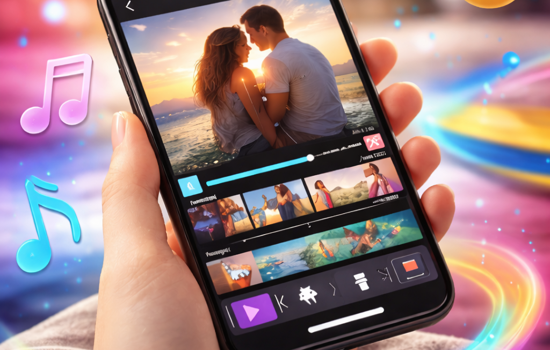
Video Editing App: Transform Your Clips Easily
🔧 Troubleshooting Common Technical Issues
Even the most reliable video editor apps occasionally present challenges. Understanding common problems and solutions minimizes frustration and downtime.
If your app crashes frequently, ensure you’re running the latest version with all available updates installed. Developers regularly release patches addressing stability issues. Clearing the app’s cache and freeing device storage often resolves performance problems.
Export failures typically result from insufficient storage space or overly ambitious quality settings for your device’s capabilities. Lower resolution or bitrate settings temporarily to complete the export, then troubleshoot the underlying issue.
Sync issues between audio and video usually occur when working with high-resolution footage on less powerful devices. Converting footage to proxy files (lower resolution copies for editing) maintains sync while reducing processing demands.
Video editing apps have transformed creative expression, placing professional-quality tools in everyone’s hands. Whether you’re documenting family memories, building a social media presence, growing a business, or pursuing artistic expression, the right app empowers you to bring your vision to life. Start with fundamental techniques, experiment fearlessly, and remember that every professional editor began exactly where you are now—with curiosity and a willingness to learn.
