
Anúncios
Walkie talkie apps have revolutionized instant communication, bringing the classic push-to-talk experience straight to your smartphone with crystal-clear audio and global reach.
Remember those chunky walkie talkies from childhood camping trips? The crackle, the anticipation, the thrill of instant voice connection? Today’s walkie talkie apps capture that same magic while leveraging modern technology to create communication tools that work across continents, not just across the backyard.
Anúncios
Whether you’re coordinating a team at a bustling event, staying connected during outdoor adventures, or simply looking for a faster way to communicate with friends and family, walkie talkie apps offer a compelling alternative to traditional phone calls and text messages. Let’s explore how these digital communication tools are changing the way we stay connected.
📱 What Exactly Is a Walkie Talkie App?
A walkie talkie app transforms your smartphone into a push-to-talk communication device. Unlike regular phone calls that require dialing and waiting for someone to answer, these apps enable instant voice transmission with a simple button press.
Anúncios
The technology behind these apps uses internet connectivity—either WiFi or cellular data—to transmit voice messages in real-time. This means you can communicate with people across the street or across the globe with the same ease and immediacy.
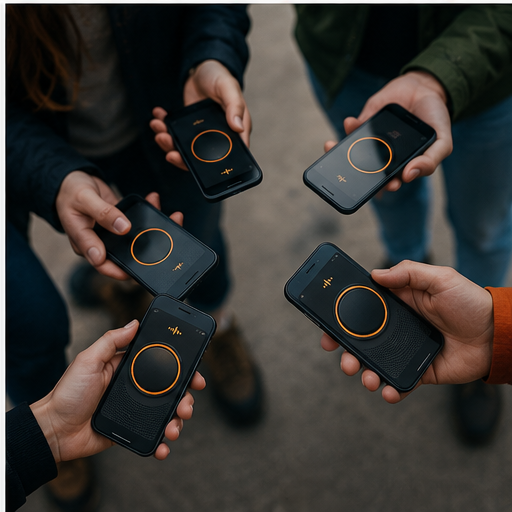
Most walkie talkie apps support both one-to-one and group conversations, making them incredibly versatile for personal use, professional coordination, or emergency situations. The interface typically mimics the classic walkie talkie experience with a prominent talk button that you press and hold while speaking.


🌟 Key Features That Make These Apps Essential
Modern walkie talkie applications come packed with features that far exceed their analog predecessors. Understanding these capabilities helps you choose the right app for your specific needs.
Instant Push-to-Talk Communication
The hallmark feature remains the instant push-to-talk functionality. Press the button, speak your message, release, and your voice reaches recipients immediately. There’s no ringing, no waiting—just direct communication that saves precious seconds when time matters.
This immediacy makes walkie talkie apps particularly valuable in fast-paced environments like construction sites, event management, retail operations, and emergency response scenarios.
Unlimited Range Capabilities
Traditional walkie talkies were limited by radio frequency range, typically maxing out at a few miles under ideal conditions. Internet-based walkie talkie apps eliminate this constraint entirely, allowing communication anywhere with data coverage.
Your team member in Tokyo can connect just as clearly with someone in New York, making these apps perfect for globally distributed teams or travelers who want to stay connected without international calling charges.
Group Channel Organization
Create dedicated channels for different purposes—family chat, work coordination, hiking buddies, or event staff. This organizational structure keeps conversations separated and allows users to participate in multiple groups simultaneously.
Many apps support public channels where users with shared interests can connect, creating communities around hobbies, professions, or geographical locations.
Message History and Playback
Unlike traditional walkie talkies where missed messages disappeared into the ether, apps typically store conversation history. You can replay messages you missed, review important information, or catch up on group discussions that happened while you were unavailable.
💼 Professional Applications That Drive Productivity
While walkie talkie apps certainly have recreational uses, their professional applications have driven widespread adoption across numerous industries.
Construction and Field Services
Construction sites are noisy, chaotic environments where written communication fails and phone calls become impractical. Walkie talkie apps allow site managers to instantly coordinate crews, request materials, or alert teams to safety concerns.
The hands-free operation (when paired with Bluetooth headsets) keeps workers safe and productive, allowing them to communicate while operating equipment or working at heights.
Retail and Hospitality Management
Store managers, hotel staff, and restaurant teams use walkie talkie apps to coordinate floor activities, respond to customer needs, and handle situations quickly without leaving their stations or disturbing guests with loud radio chatter.
The discrete nature of smartphone-based communication maintains professional appearances while ensuring staff remain connected and responsive.
Event Coordination Excellence
From wedding planners to festival organizers, event professionals rely on instant communication to manage logistics, coordinate vendors, and respond to the inevitable unexpected situations that arise during live events.
The ability to create temporary channels for specific events, then archive them afterward, provides perfect organizational flexibility.
Security and Emergency Response
Security teams appreciate the instant notification capabilities and the ability to quickly assemble response teams. Some walkie talkie apps include GPS location sharing, which proves invaluable during emergency situations or when coordinating personnel across large facilities.
🏞️ Recreational Uses That Enhance Adventures
Beyond professional environments, walkie talkie apps have found enthusiastic adoption among outdoor enthusiasts and social groups.
Hiking and Outdoor Exploration
When hiking groups spread out along a trail or split into smaller exploration teams, walkie talkie apps maintain contact without requiring everyone to stay within visual range. Share wildlife sightings, coordinate lunch stops, or alert others to trail conditions ahead.
The data requirement does limit usefulness in truly remote areas without cellular coverage, making traditional radios still relevant for backcountry expeditions.
Road Trip Coordination
Multiple vehicles traveling together benefit enormously from walkie talkie communication. Coordinate rest stops, share traffic updates, warn about road hazards, or simply keep conversations flowing between cars without burning through cellular minutes.
Social Group Communication
Friend groups use walkie talkie apps to add spontaneity to social interactions. Quick voice messages feel more personal than texts while being less intrusive than phone calls, creating a sweet spot for casual communication.
🔒 Privacy and Security Considerations
When choosing a walkie talkie app, understanding privacy features and security protocols protects your conversations and personal information.
Reputable apps employ end-to-end encryption to prevent eavesdropping on private conversations. Public channels, by nature, broadcast to anyone who joins, so users should exercise discretion about sensitive information shared in these spaces.
Review each app’s privacy policy to understand how your voice data, location information, and contact lists are stored and used. Some apps retain recordings for service improvement, while others delete data immediately after delivery.
Consider whether your use case requires private channels with controlled access or if public community channels serve your needs. Professional applications typically demand stricter privacy controls than recreational use.
📊 Comparing Top Walkie Talkie Apps
The market offers numerous walkie talkie applications, each with distinct features and strengths. Here’s how leading options compare:
| Feature | Zello | Voxer | Loudtalks |
|---|---|---|---|
| User Base | 150M+ users | 20M+ users | Growing community |
| Message History | Yes | Yes | Yes |
| Group Channels | Unlimited | Unlimited | Multiple |
| Cross-Platform | iOS, Android, PC | iOS, Android | iOS, Android |
| Background Operation | Excellent | Good | Good |
| Image/Text Support | Limited | Yes | Varies |
⚡ Optimizing Your Walkie Talkie App Experience
Getting the most from your walkie talkie app requires understanding optimal settings and usage practices.
Battery Management Strategies
Constant connectivity can drain smartphone batteries quickly. Enable battery optimization settings within the app, reduce screen-on time by using audio-only mode, and consider carrying a portable charger for extended use periods.
Some apps offer power-saving modes that reduce quality slightly to extend battery life—perfect for all-day events or outdoor adventures.
Audio Quality Enhancement
Position your phone’s microphone appropriately when speaking. In noisy environments, move closer to the mic and speak clearly. Bluetooth headsets or earbuds with built-in microphones often provide superior audio quality compared to speakerphone mode.
Test your setup before important communications to ensure recipients can hear you clearly.
Data Usage Awareness
Voice transmission consumes data, though typically less than video calling. Monitor your usage if operating on limited data plans. WiFi connectivity eliminates data concerns and often provides more stable connections.
Most apps display data usage statistics in their settings, helping you track consumption patterns.
🚀 Setting Up Your First Walkie Talkie App
Getting started with walkie talkie communication takes just minutes. Download your chosen app from the Play Store or App Store, create an account with your phone number or email, and grant necessary permissions for microphone access.
Explore the interface to familiarize yourself with the talk button location and channel selection process. Many apps offer tutorial channels where you can practice without bothering real groups.
Invite contacts by sharing your username or creating a private channel with custom access codes. For professional use, establish naming conventions and channel structures before rolling out to your entire team.
🌐 The Future of Push-to-Talk Communication
Walkie talkie apps continue evolving with emerging technologies. Artificial intelligence integration promises features like automatic transcription, language translation for international teams, and intelligent message routing based on urgency.
5G networks will enhance audio quality and reduce latency even further, making digital push-to-talk indistinguishable from face-to-face conversation. Integration with smart devices, vehicles, and wearables will expand usage scenarios beyond smartphones.
The fundamental appeal remains constant: immediate, effortless voice communication that cuts through the noise of modern digital interaction. As our world grows more connected yet paradoxically more isolated, tools that facilitate genuine human connection become increasingly valuable.
💡 Making the Right Choice for Your Needs
Selecting the ideal walkie talkie app depends on your specific requirements. Consider these factors:
- User base: Popular apps ensure your contacts can easily join your network
- Platform compatibility: Verify support for all devices your team uses
- Feature requirements: Match app capabilities to your communication needs
- Privacy standards: Ensure security measures align with your sensitivity requirements
- Cost structure: Evaluate free versions versus premium subscriptions
- Interface simplicity: Choose apps that your entire team can master quickly
Test multiple options before committing to one platform. Most walkie talkie apps offer full functionality for free, allowing thorough evaluation without financial commitment.
🎯 Maximizing Team Adoption and Engagement
Successfully implementing walkie talkie apps within organizations or social groups requires thoughtful rollout strategies. Provide clear training on basic functions, establish communication protocols for channel use, and designate power users who can assist others.
Create channel guidelines that specify appropriate content, response expectations, and quiet hours if applicable. Encourage feedback from users to identify friction points and optimization opportunities.
Celebrate early wins where the app solved communication challenges or improved coordination. Success stories drive adoption better than mandates.
🔧 Troubleshooting Common Issues
Even the best walkie talkie apps occasionally encounter problems. Understanding common issues and solutions keeps communication flowing:
Delayed or missing messages: Check your internet connection strength. Switch between WiFi and cellular data to identify connectivity issues. Restart the app to refresh connections.
Poor audio quality: Reduce background noise, speak closer to the microphone, or test different audio settings within the app. Ensure your phone’s speaker isn’t obstructed.
Battery drain: Disable features you’re not using, reduce notification frequency, and enable power-saving modes. Close other battery-intensive apps running in the background.
Login or access problems: Verify your account credentials, ensure the app is updated to the latest version, and check whether service outages are affecting the platform.
🌈 Embracing Modern Communication Simplicity
In an era of complex messaging platforms with endless features and confusing interfaces, walkie talkie apps offer refreshing simplicity. One button, one purpose, instant connection. This focused approach to communication resonates with users tired of notification overload and feature bloat.
The apps succeed because they solve real communication problems without introducing new complexities. Whether coordinating professional teams, organizing social activities, or staying connected during adventures, walkie talkie apps deliver reliable, immediate voice communication when it matters most.
Download a walkie talkie app today and rediscover the joy of instant, effortless connection with the people who matter in your life. Press the button, speak your mind, and experience communication as it should be—simple, direct, and genuinely human. 📲
